 HOUSEOPS
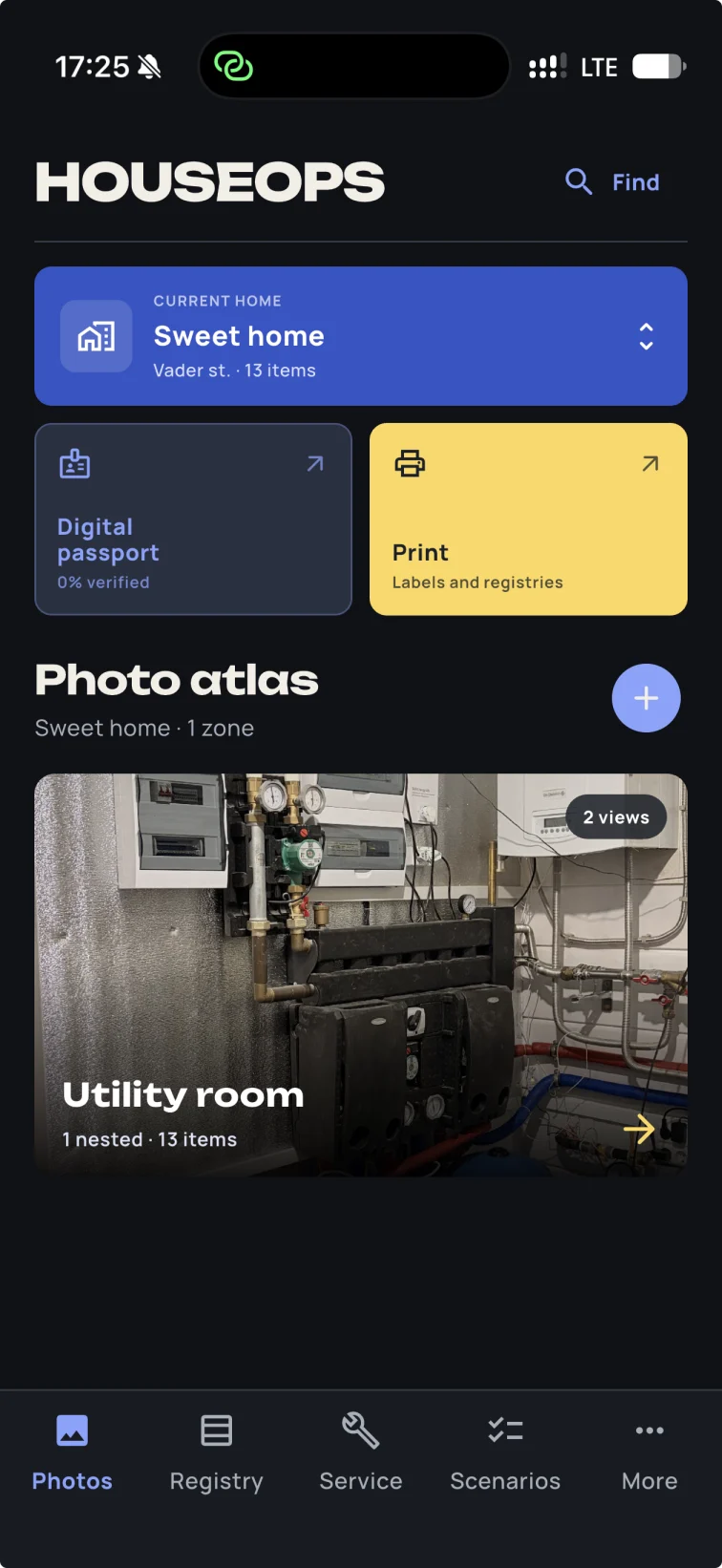
Take one real photo
Add more angles or nested cabinets only when they help reveal what is hidden.
HouseOps for homeowners
Know which breaker, valve or filter you are looking at — and what needs attention next.
A useful result in one session
Start with the area that matters most: the main panel, water shutoff, utility room or HVAC equipment.
Add more angles or nested cabinets only when they help reveal what is hidden.
Give each item a visible label, purpose and location. Add the next one without repeating every field.
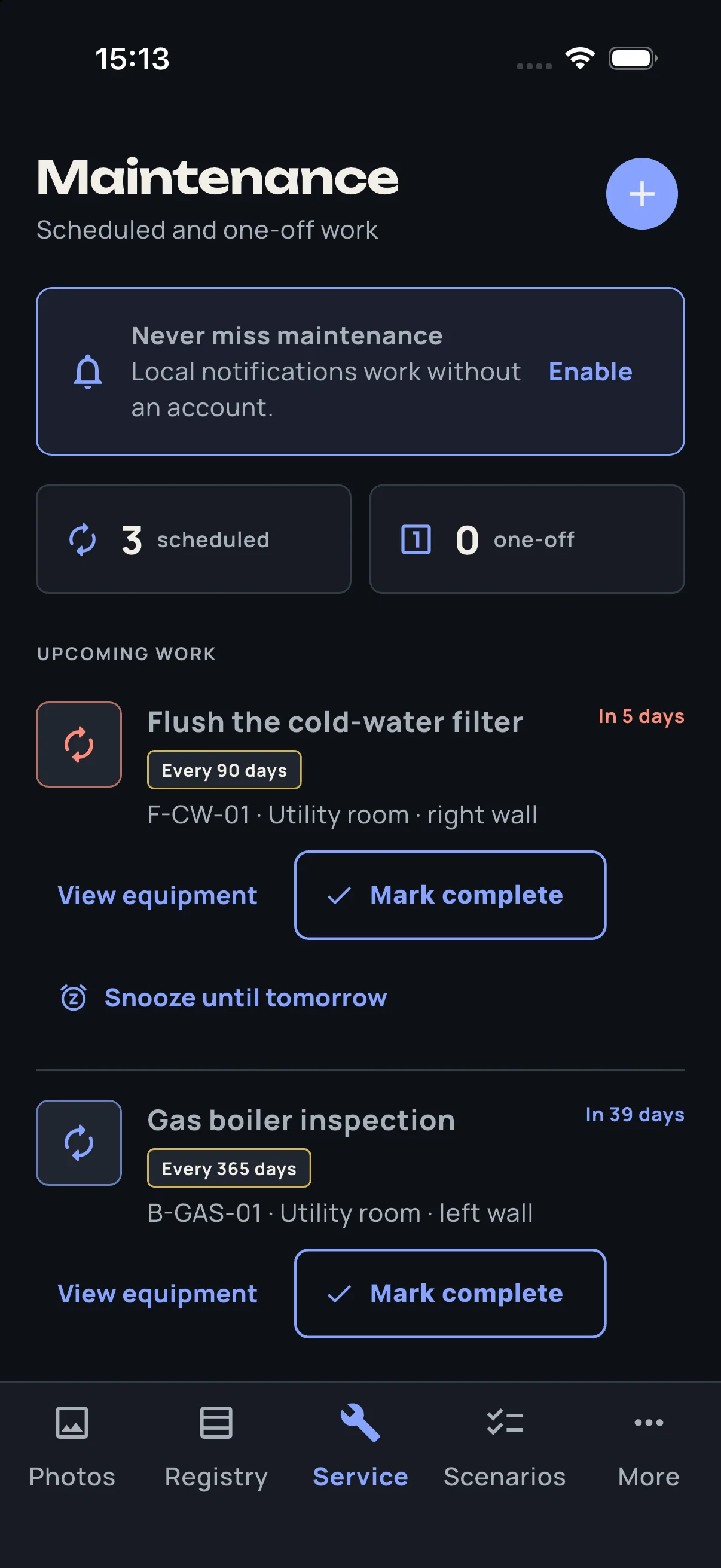
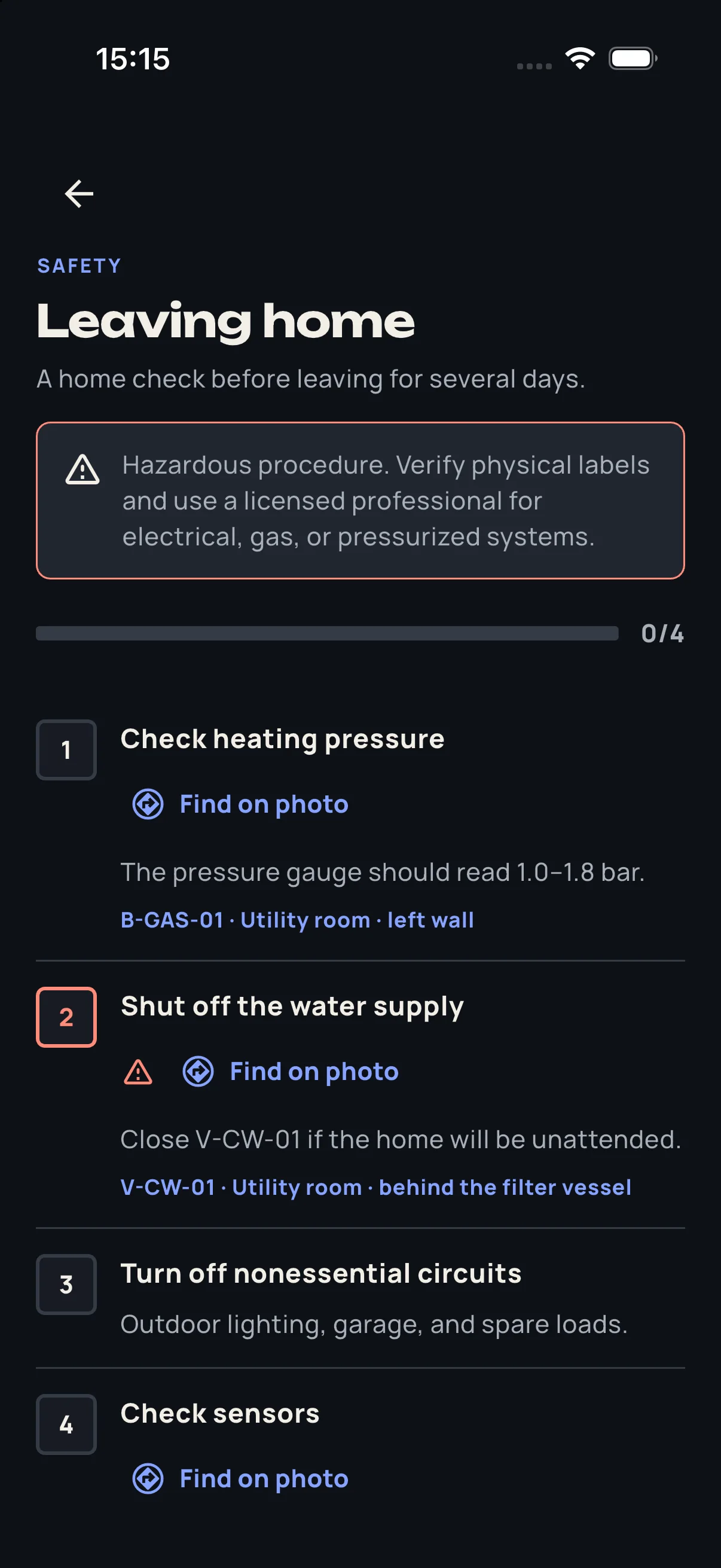
Find it on photo, print a clean register or schedule the next maintenance task.
Be ready later
The task does not end with “replace filter.” HouseOps can show which filter, where it is and the equipment record behind it.
Your home data and photos stay on your device unless you explicitly export or share them. No account is required for the core passport.
Put a readable legend inside the electrical panel or equipment cabinet.
Export an independent HouseOps passport and readable HTML or PDF copy.
Your existing local data and personal backup remain accessible independent of a subscription.
A future owner, family member or technician can understand the systems without relying on your memory.
Preparing for launch
Early testers can share which room or system they want to document first.